Generate an image
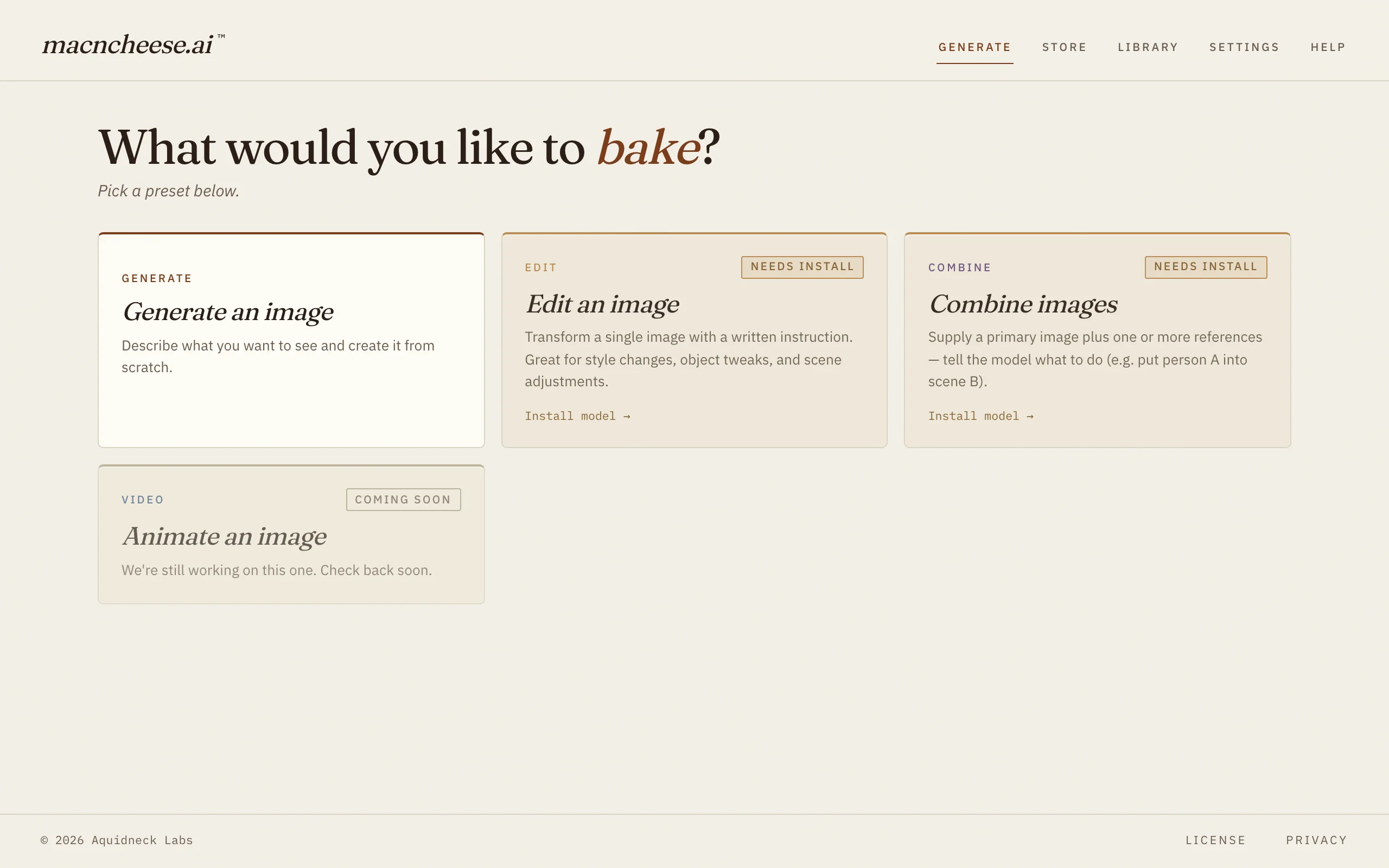
Type what you want to see and macncheese draws it — from a quick sketch to a finished picture.
Local AI image generation for Mac
No nodes, no setup, no cloud — your prompts and images never leave your machine.
How it works
Grab the free app. No account, no setup wizard.
The Model Store shows what fits your Mac. One click to install.
Type a prompt and generate — everything runs right on your Mac.
What you can make
No node graph to wire together — pick what you want to do and go.
Type what you want to see and macncheese draws it — from a quick sketch to a finished picture.
Change part of a photo with a sentence: remove something, add something, restyle it.
Blend two pictures, or swap a face from one photo into another.
Bring a still photo to life as a short moving clip. Coming soon.
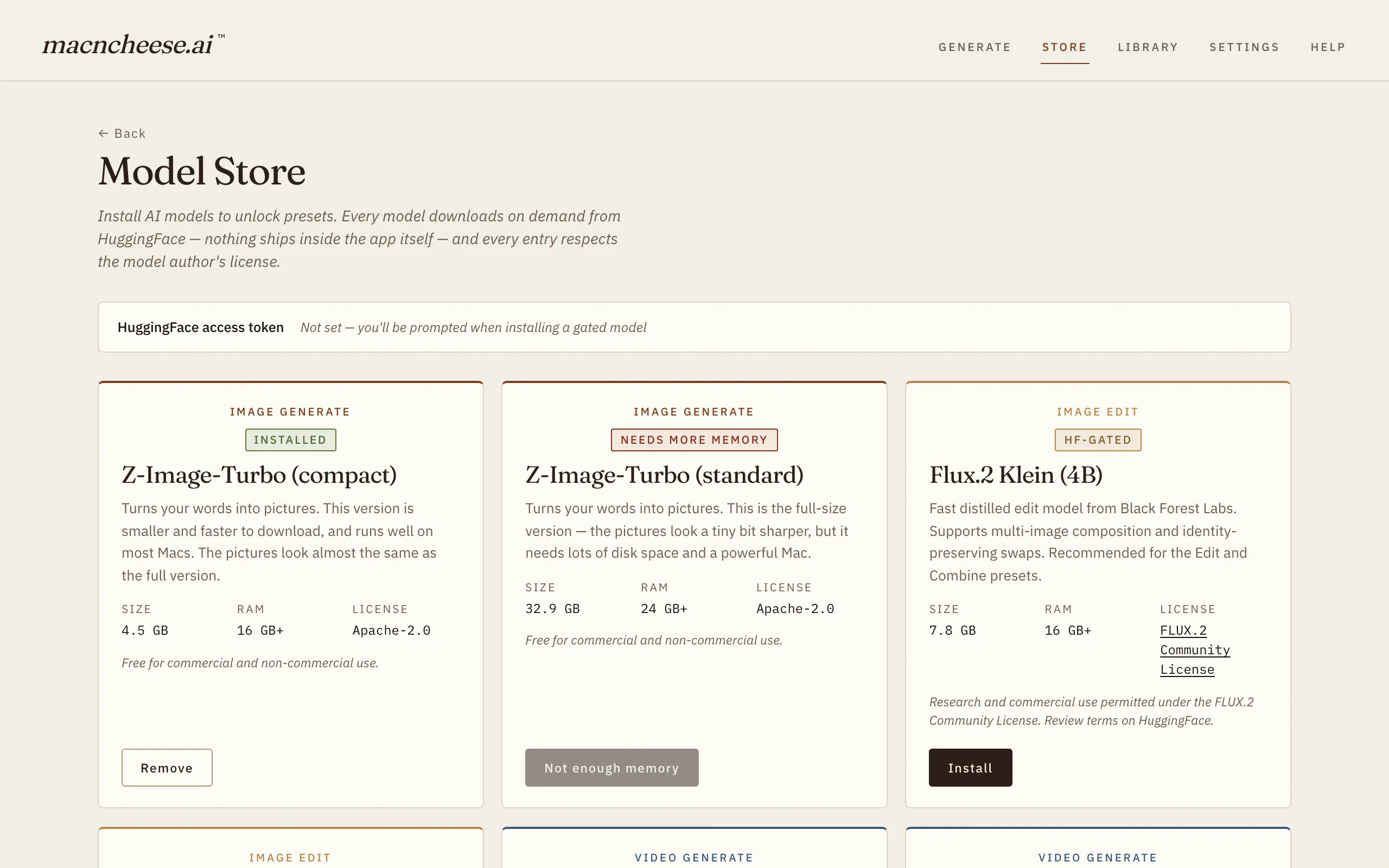
Curated, one-click model downloads with a clear size and license on each. Uninstall cleanly whenever you like.
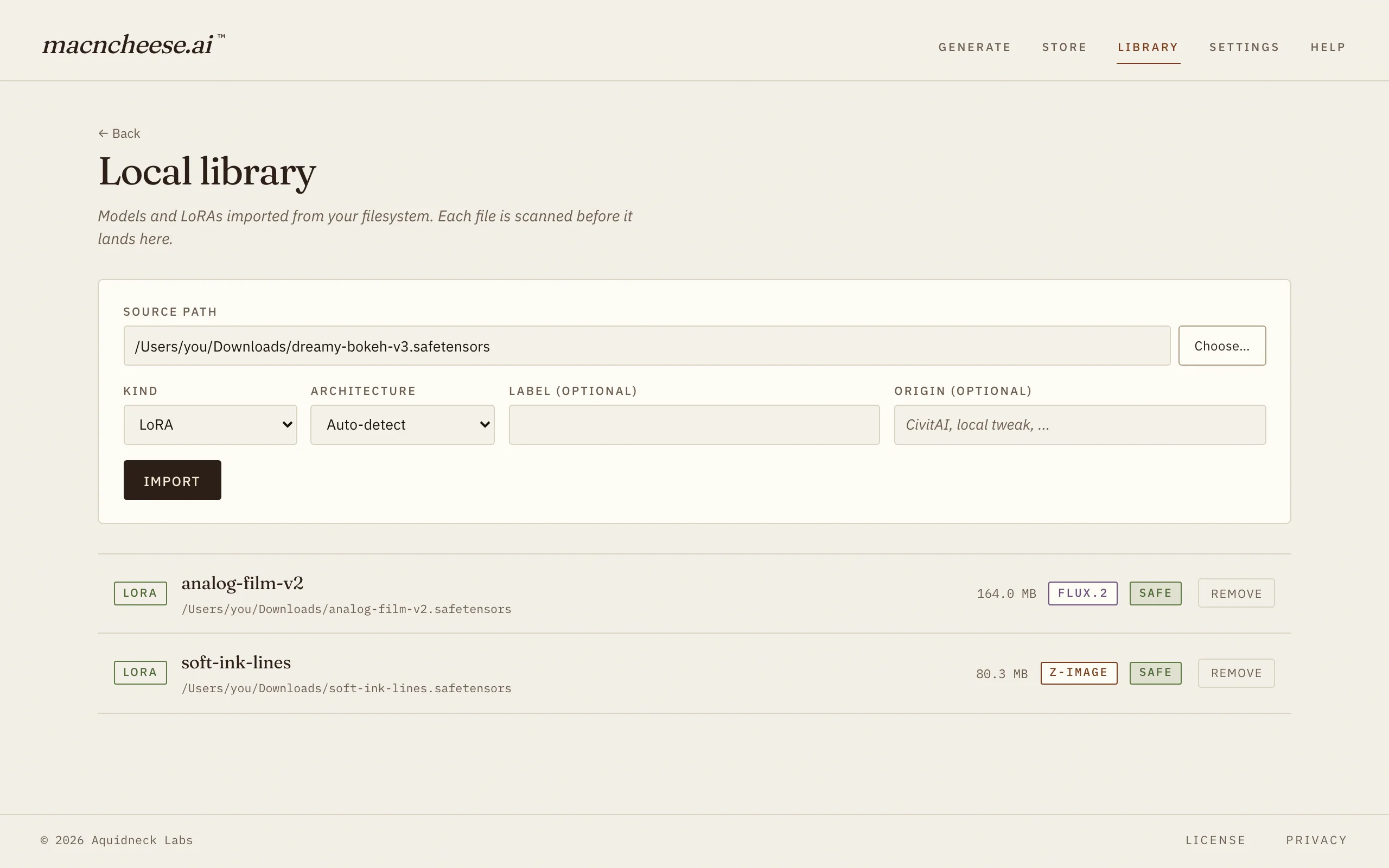
Import any .safetensors LoRA, like the ones from CivitAI, and pair it with a
base model from the Model Store. A pure-Rust scanner checks every file first and quarantines
anything malformed or malicious before it can load. There’s also “✨ Improve” to sharpen your
prompts, using a local LLM by default.
Private by design
Your prompts and images never leave your Mac.
No telemetry. No analytics. No crash reporters in the app. Generation runs entirely on-device — it even works on a plane. The only time macncheese goes online is to download the models you choose and to check for a newer version.
Read the privacy policy →Escaping ComfyUI?
The friendly-and-safe middle ground between raw power and hosted clouds.
| Feature | macncheese | ComfyUI | Draw Things | Midjourney |
|---|---|---|---|---|
| Setup | Download and open — nothing to configure | Manual Python + nodes | Simple install | Web / Discord signup |
| Learning curve | Four preset cards | Node graph — often needs a wiki | Many controls | Prompt commands |
| Runs on | Your Mac (Apple Silicon) | Your machine | Your Mac / iPad | Their cloud |
| Privacy | Prompts & images stay on your Mac | Local (varies by node) | Local | Cloud; public by default |
| Safety | safetensors-only + built-in security scanner | Custom nodes have carried malware | Curated | Hosted |
| Metering | Unlimited — no credits | Unlimited | Unlimited | Credits / GPU-hours |
| Price | Free | Free | Free | $10–120 / month, metered |
Midjourney plan prices are list rates as of August 2026 ($10 Basic, $30 Standard, $60 Pro, $120 Mega per month).
Why we built it this way
The most popular local tools earn their power by running arbitrary third-party code. That’s also how people get burned. Documented incidents in the ComfyUI ecosystem include the ComfyUI_LLMVISION nodes that stole passwords and credit-card data (June 2024), an Ultralytics package that shipped a cryptominer (December 2024), and ComfyUI’s own January 2025 security note acknowledging remote-code-execution vectors in custom nodes.
macncheese avoids that class of problem structurally:
Will it run on my computer?
Requirements: Apple Silicon (M1 or later), macOS 13.5+, 16 GB memory.
Need the details, or want to see which models fit your memory? The download page has a full RAM-fit checker.
No catch
No credits, no meters, no subscription, no account. Every cloud rival charges by the image because their servers do the work — here your Mac does it, so there is nothing to bill.
Midjourney list prices as of August 2026, billed monthly.
Download freeQuestions
A Mac app that uses AI to create images right on your computer. Type what you want and it generates it. You can also edit photos, combine images, swap faces, and (coming soon) animate a photo into a short clip. It is a friendlier, safer alternative to tools like ComfyUI — no nodes, no setup, no cloud.
Nothing. macncheese is free to download and use, with every feature unlocked. There is no subscription, no credits, no metering, and no account to create.
You need an Apple Silicon Mac (M1 or newer) running macOS 13.5 or later. Intel Macs are not supported. 16 GB of memory is enough to generate and edit images; 24 GB is comfortable for the larger models. Use the checker on the download page to see what fits your Mac.
No. Generation happens entirely on your Mac, and your prompts and images never leave it. There is no telemetry, no analytics, and no crash reporting. The only times macncheese uses the internet are to download the models you choose and to check whether a newer version of the app is available.
Free to download, every feature unlocked. No cloud, no account.